Setting Up Xero for UAE VAT: Step-by-Step Guide
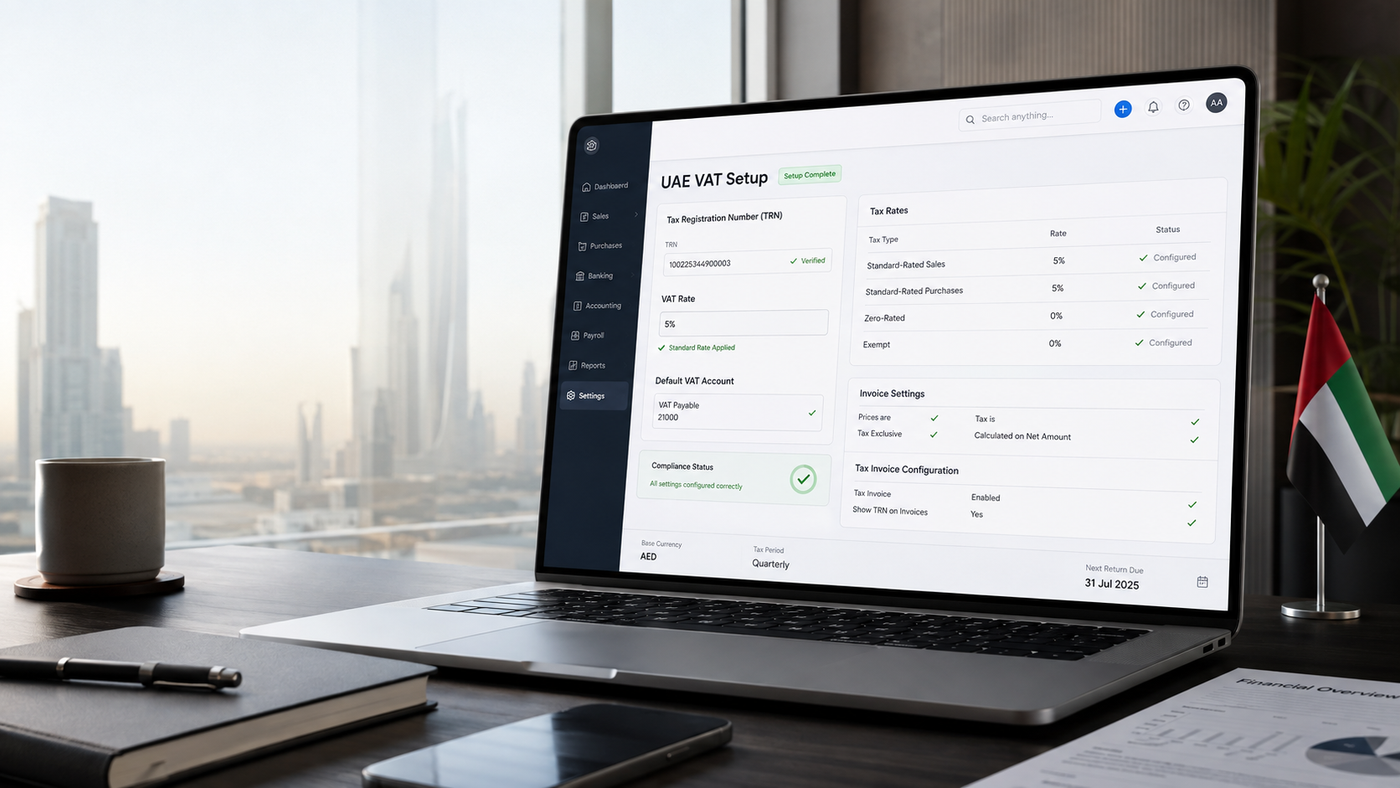
Setting Up Xero for UAE VAT: Step-by-Step Guide
Setting up Xero for a UAE VAT-registered business is not as simple as creating a 5% VAT code.
Your Tax Registration Number (TRN), tax rates, chart of accounts, invoice templates, opening balances and transaction defaults all affect how VAT flows through your books. A mistake at setup can quietly repeat itself across hundreds of invoices and bills before anyone notices it.
There is also an important Xero-specific point for UAE businesses in 2026.
Xero is officially listed by the UAE Federal Tax Authority as accredited tax accounting software. The FTA currently lists Xero version 2026, with its accreditation valid until March 2027. However, Xero says its dedicated UAE VAT solution—including FTA-ready VAT return mapping, guided workflows similar to EmaraTax and generation of the FTA Audit File—is still coming soon.
That means you can absolutely use Xero to maintain your UAE accounting records and calculate VAT today. You just need to configure the underlying VAT treatments properly rather than assuming Xero will automatically determine UAE VAT treatment for every transaction.
This guide walks through that setup from start to finish.
- 1. Confirming its VAT registration and effective date.
- 2. Entering its legal business information and TRN.
- 3. Configuring the appropriate tax basis.
- 4. Creating clear UAE VAT tax rates for sales and purchases.
- 5. Applying sensible VAT defaults to the chart of accounts.
- 6. Reviewing the VAT control account used by Xero.
- 7. Configuring its invoice template to meet UAE tax invoice requirements.
- 8. Entering opening balances without duplicating previously recognised VAT.
- 9. Testing standard-rated, zero-rated, exempt and other relevant transactions.
- 10. Reviewing the resulting VAT data before using the file operationally.
"A 0% VAT transaction is not automatically the same thing as a no-tax transaction."
Xero UAE VAT Setup Checklist
Before entering live transactions, your Xero organisation should have the following checked:
| Setup item | What to confirm |
|---|---|
| VAT registration | Registration status and effective date |
| TRN | Correct 15-digit TRN |
| Organisation | Correct legal name and address |
| Tax basis | Appropriate VAT reporting basis |
| Standard-rated sales | 5% |
| Standard-rated purchases | 5% |
| Zero-rated transactions | Separate 0% treatment |
| Exempt transactions | Separate treatment from zero-rated |
| Out-of-scope transactions | Kept separate from taxable 0% transactions |
| VAT account | Correct Xero sales tax/VAT control account |
| Invoice template | UAE tax invoice information displayed |
| Customer records | Customer TRNs captured when relevant |
| Opening VAT balance | Reconciled to previous accounting records |
| Outstanding invoices/bills | Imported without duplicating VAT |
| Testing | Representative VAT transactions reviewed |
If you've already configured Xero and want to check whether the VAT setup is behaving correctly, this is also a natural point to run the Maaliya VAT Health Checker.
VAT Health CheckerStep 1: Confirm your UAE VAT registration before configuring Xero
Do not switch on VAT in Xero simply because your business operates in the UAE.
First confirm whether the business is registered for VAT, its VAT registration effective date, and the TRN issued by the Federal Tax Authority.
The UAE's mandatory VAT registration threshold is currently AED 375,000 of taxable supplies and imports, while voluntary registration is generally available from AED 187,500, subject to the applicable conditions.
Once registered, the business receives a Tax Registration Number.
Before touching the Xero VAT settings, have these details ready:
- legal business name;
- registered business address;
- TRN;
- VAT registration effective date;
- tax periods shown in EmaraTax;
- existing VAT liability or receivable, if migrating from another system; and
- details of any outstanding invoices and bills at the migration date.
Why the VAT effective date matters
The effective date determines when the business became responsible for accounting for VAT.
Transactions before and after that date should therefore not blindly use the same tax defaults.
If you're converting an existing set of books to Xero, this is particularly important. You don't want Xero adding VAT to transactions from before VAT registration or re-recognising VAT already accounted for in an earlier return.
Step 2: Configure your Xero organisation details
Start with the organisation's basic and financial settings.
In Xero, financial settings include items such as the financial year end, sales tax basis, tax identification number, tax defaults and lock dates.
Check that the following reflect the business correctly:
| Setting | Recommended check | |
|---|---|---|
| Country | United Arab Emirates | |
| Legal name | Match business records | |
| Address | Current registered/business address | |
| Financial year | Match accounting records | |
| Currency | Usually AED for UAE businesses | |
| Time zone | UAE | |
| Tax number | Enter TRN | |
| Tax basis | Review before entering transactions |
For most UAE businesses, an accrual-based VAT setup will generally align with how UAE VAT becomes due under the date-of-supply rules rather than simply when cash is collected. UAE VAT legislation provides that tax is calculated by reference to the date of supply, determined by specified triggering events including supply, payment or issuance of a tax invoice depending on the circumstances.
If your circumstances are unusual, confirm the correct treatment with your tax adviser before changing this setting.
Expert tip
Don't treat Xero's financial settings as housekeeping.
The tax basis controls when transactions appear in Xero's Sales Tax report. Xero specifically warns that changing the tax basis later can cause transactions to be duplicated or excluded from sales tax reporting.
Get it right before you start.
Step 3: Add your UAE TRN to Xero
Your Tax Registration Number is one of the most important pieces of information in the setup.
Enter the business's TRN in Xero's financial/tax settings and then make sure it actually appears on your invoice template.
Those are two separate checks.
Xero allows your organisation's tax number to be displayed on invoice templates.
Don't stop after saving the TRN.
Generate a PDF test invoice and physically look at it.
Check:
Does the invoice actually display the correct TRN?
One missing setting in the branding theme can mean the number exists inside Xero but isn't shown to customers.
Step 4: Set up your UAE VAT tax rates in Xero
This is arguably the most important part of the setup.
The standard UAE VAT rate is currently 5%.
But a UAE business can encounter multiple VAT treatments, not merely "5%" and "0%".
At minimum, most businesses should consider whether they require tax rates such as:
| Suggested Xero tax rate | Rate | Typical use |
|---|---|---|
| UAE Standard-Rated Sales | 5% | Standard-rated taxable sales |
| UAE Standard-Rated Purchases | 5% | Standard-rated business purchases |
| UAE Zero-Rated Sales | 0% | Qualifying zero-rated supplies |
| UAE Zero-Rated Purchases | 0% | Relevant zero-rated purchases |
| UAE Exempt Sales | 0% | Exempt supplies |
| UAE Exempt Purchases | 0% | Purchases relating to exempt treatment where appropriate |
| UAE Out of Scope | 0% / No Tax treatment | Transactions outside UAE VAT |
| UAE Reverse Charge | Special treatment | Transactions subject to RCM |
The exact set of codes you need depends on your business.
A domestic consulting firm may need only a handful. An importer, exporter, property company or business operating in Designated Zones can require substantially more.
Xero's global tax functionality allows organisations to create tax rates and apply them to sales, purchases or both. Xero also allows default tax rates to be attached to chart-of-account codes.
Don't use "No Tax" for every 0% transaction
This is one of the easiest Xero mistakes to make.
Xero distinguishes between:
- a transaction carrying a 0% tax rate, and
- a transaction configured as No Tax.
When "No Tax" is selected, Xero treats the transaction differently from a reportable transaction carrying a 0% rate. Xero's own documentation specifically says that a 0% reportable transaction should use an appropriate zero tax rate rather than simply selecting No Tax.
That distinction matters enormously for UAE VAT.
Zero-rated does not mean exempt
Both can result in AED 0 of output VAT, but they are legally different.
A zero-rated supply remains a taxable supply charged at 0%.
An exempt supply is different: the FTA defines an exempt supply as one on which no tax is due and for which related input tax generally cannot be recovered, except as provided under the law.
So don't create one generic:
"VAT 0%"
code and use it for everything.
You lose useful VAT classification information immediately.
Step 5: Set default VAT rates on your chart of accounts
Once the tax rates exist, review the chart of accounts.
Xero allows tax rates to be attached to accounts so that the rate becomes the default when that account is selected in a transaction.
For example:
| Account | Possible default | |
|---|---|---|
| Consulting Revenue | UAE Standard-Rated Sales 5% | |
| Domestic Product Sales | UAE Standard-Rated Sales 5% | |
| Export Revenue | Review / UAE Zero-Rated Sales where conditions are satisfied | |
| Office Supplies | UAE Standard-Rated Purchases 5% | |
| Bank Charges | Depends on the actual supply | |
| Residential Rental Income | Review exempt treatment | |
| Salaries | No VAT | |
| Owner/Shareholder Drawings | Generally not a normal taxable purchase |
Defaults are useful.
But they are defaults, not tax advice.
If you set "5% Purchases" as the default for every expense account, staff can start claiming input VAT on transactions where VAT is not recoverable or where there is no valid VAT in the first place.
The accounting system will happily calculate the number.
That doesn't make the treatment correct.
Step 6: Configure your VAT accounts correctly
This part is slightly counterintuitive if you're coming from another accounting system.
You might expect to create separate accounts such as:
- Output VAT;
- Input VAT;
- VAT Payable; and
- VAT Receivable.
But Xero's global sales tax functionality uses one sales tax account. Xero specifically states that if additional sales-tax accounts are manually added to the chart of accounts, tax amounts posted to those accounts are not included in Xero's Sales Tax report.
So don't copy a generic UAE chart of accounts into Xero without understanding how Xero's tax engine works.
The safer approach
Use Xero's tax-rate functionality to post VAT through the tax control mechanism Xero expects.
Then use the underlying transaction classifications to distinguish:
VAT collected on sales
versus
recoverable VAT on purchases.
You can still build management reporting around those numbers, but creating extra VAT ledger accounts without understanding Xero's reporting logic can actually make the VAT reconciliation worse.
Expert tip
This is one of the first things we'd inspect in a VAT health check.
If someone has manually created multiple VAT accounts and staff are posting VAT directly into them, check whether those transactions are actually appearing in Xero's Sales Tax report.
They may not be.
Step 7: Configure Xero invoices for UAE VAT
Getting the bookkeeping right isn't enough.
Your customer-facing tax invoice also needs to contain the required information.
Under Article 59 of the UAE VAT Executive Regulation, a full tax invoice includes information such as:
- the words "Tax Invoice";
- supplier name and address;
- supplier TRN;
- recipient name and address;
- recipient TRN where the recipient is registered;
- sequential or unique invoice number;
- invoice date;
- date of supply where different;
- description of the goods or services;
- unit price, quantity or volume, tax rate and relevant amounts;
- discount, where applicable;
- gross amount payable;
- tax payable in AED; and
- additional information for reverse-charge transactions where applicable.
A simplified tax invoice has fewer requirements and may be used in specified circumstances, including supplies to non-registrants and supplies to registered recipients where the consideration does not exceed AED 10,000.
UAE VAT legislation also generally requires a registrant to issue the tax invoice within 14 days from the date of supply.
Configuring this in Xero
Your standard invoice template should at least be reviewed for:
| Field | Check |
|---|---|
| "Tax Invoice" | Clearly displayed |
| Business legal name | Correct |
| Business address | Correct |
| Supplier TRN | Displayed |
| Invoice number | Unique/sequential |
| Invoice date | Displayed |
| Customer name/address | Displayed |
| Customer TRN | Available where required |
| Description | Sufficiently clear |
| Tax rate | Visible |
| VAT amount | Visible |
| Total | Visible |
| Currency | Correct |
Xero can display the organisation's tax number on invoice templates, and advanced invoice templates can also display a contact's tax number where one has been recorded.
That makes the customer master data important too.
If you regularly invoice VAT-registered UAE businesses, store their TRNs properly instead of typing them manually into invoice descriptions.
What if you invoice customers in USD, EUR or another currency?
UAE VAT rules don't disappear because the commercial invoice is denominated in another currency.
Where a supply is in a currency other than AED, UAE VAT legislation requires the relevant tax invoice amounts to be converted into UAE dirhams using the applicable UAE Central Bank-approved exchange rate at the date of supply.
So test your foreign-currency invoice template too.
Don't only test an AED invoice.
Check your Xero invoice before you start sending it
Once you've configured the branding theme:
Create a real test invoice. Export the PDF. Review the PDF—not just the data-entry screen.
Check the:
- TRN;
- customer information;
- invoice number;
- VAT rate;
- VAT amount;
- subtotal;
- total;
- currency;
- date;
- wording; and
- visual presentation.
Then test a second invoice for a VAT-registered customer and confirm that the customer's TRN appears where required.
Maaliya VAT Invoice Checker
This is exactly where Maaliya's VAT Invoice Checker fits.
Instead of visually guessing whether the invoice contains all the necessary fields, upload the invoice and check it before the template becomes your default for hundreds of future invoices.
Step 8: Configure bills and purchase VAT carefully
The sales side is usually easier.
Purchases are where VAT mistakes become more expensive.
A supplier charging you 5% VAT does not automatically mean the whole amount should be booked as recoverable input VAT.
The VAT treatment can depend on:
- whether the supplier is VAT registered;
- whether you have appropriate supporting documentation;
- what the goods or services are used for;
- whether the expenditure relates to taxable or exempt activities;
- input-tax recovery restrictions; and
- whether a reverse-charge mechanism applies.
The FTA's rules distinguish output tax, input tax and recoverable tax, and exempt activities can restrict the recovery of related input VAT.
This is why a blanket "5% VAT on Expenses" default across every expense account is risky.
Better approach
Use sensible account defaults, but require whoever enters bills to think about the underlying transaction.
The question isn't:
"Does this invoice show 5%?"
The better question is:
"What is the correct UAE VAT treatment of this transaction, and how much of that VAT is recoverable?"
Step 9: Deal with reverse-charge transactions separately
If your business buys certain goods or services from outside the UAE—or carries out transactions falling within specific domestic reverse-charge rules—the VAT treatment can be different from an ordinary domestic purchase.
Do not treat every reverse-charge transaction as a normal 5% purchase.
The UAE applies reverse-charge rules in various circumstances, and specific domestic RCM regimes also exist. For example, the FTA introduced a reverse-charge mechanism for qualifying supplies of certain electronic devices between VAT registrants from 30 October 2023.
Because Xero's dedicated UAE VAT functionality is still being developed, businesses with significant imports, reverse-charge activity, Designated Zone transactions or other complex treatments should be especially careful about relying purely on generic Xero tax codes.
The correct setup should reflect how those transactions eventually need to appear in the UAE VAT return—not merely produce a mathematically correct 5% figure.
Step 10: Enter your opening balances without duplicating VAT
This is where many otherwise clean migrations go wrong.
Suppose you move from another accounting system into Xero on 1 July.
Your old system already contains:
- outstanding customer invoices;
- unpaid supplier bills;
- VAT collected;
- recoverable input VAT; and
- an existing VAT payable or receivable balance.
If you import those numbers incorrectly, Xero can effectively recreate VAT that already existed in the old accounting system.
Xero's opening balance logic
Xero requires accounts receivable and accounts payable conversion balances to be supported by the individual outstanding invoices and bills that make up those balances.
Xero also says its sales-tax functionality uses one sales tax account, so multiple tax account balances from an old system may need to be combined when entering conversion balances.
Before entering opening balances, reconcile:
Old accounting system VAT balance
to
latest VAT return
to
VAT payments/refunds after that return
to
opening Xero VAT balance.
Those figures should tell one consistent story.
Practical recommendation
Where commercially practical, migrating at the beginning of a VAT period tends to make the reconciliation cleaner.
If you're migrating halfway through a VAT period, be particularly careful that part of the period isn't sitting in the old software while the rest sits in Xero without a proper combined reconciliation.
Step 11: Test your Xero UAE VAT setup
Do not start live bookkeeping immediately after configuration.
Create test transactions first.
A good test pack should contain transactions representative of what the business actually does.
| Test | Net amount | VAT | Expected gross | Expected treatment |
|---|---|---|---|---|
| Standard-rated sale | AED 1,000 | AED 50 | AED 1,050 | UAE Standard Sales 5% |
| Standard-rated purchase | AED 1,000 | AED 50 | AED 1,050 | UAE Standard Purchases 5%, subject to recovery |
| Zero-rated sale | AED 1,000 | AED 0 | AED 1,000 | UAE Zero-Rated Sales |
| Exempt sale | AED 1,000 | AED 0 | AED 1,000 | UAE Exempt Sales |
| Out-of-scope item | AED 1,000 | AED 0 | AED 1,000 | Out-of-scope / appropriate No Tax treatment |
The last three all produce AED 0 VAT.
Yet they're not necessarily the same tax treatment.
That's exactly why testing the tax codes matters.
Step 12: Review the Xero Sales Tax report
After posting your test transactions, run Xero's Sales Tax report.
Xero provides a Sales Tax Summary and Sales Tax Audit report that use the organisation's tax settings and tax rates applied to transactions.
Review:
- standard-rated sales;
- output VAT;
- standard-rated purchases;
- input VAT;
- zero-rated transactions;
- exempt transactions;
- transactions using No Tax;
- manually posted VAT;
- unexpected tax codes; and
- the closing sales-tax control balance.
Ask a simple question:
Can you explain every number in the VAT report?
If the answer is no, don't start filing VAT from it yet.
Important: Xero's UAE VAT return feature is still coming
This point deserves its own section because outdated and third-party content can create confusion.
As of 10 August 2026, Xero is officially listed on the FTA's Tax Accounting Software Vendor register.
But Xero currently states that its UAE-specific VAT solution is still coming soon.
Xero says its planned UAE functionality will include:
- mapping financial information to FTA-ready VAT returns;
- guided VAT workflows reflecting EmaraTax;
- generation of an FTA Audit File; and
- a prepopulated template for FTA upload.
So there is an important difference between:
Xero being FTA-listed accounting software
and
Xero currently having a fully native UAE VAT-return workflow.
They're not the same claim.
Today, the underlying bookkeeping and VAT coding still need to be right.
No future reporting feature can reliably fix bad tax treatment at transaction level.
How Maaliya works alongside Xero
This is where the workflow gets more interesting.
Rather than replacing Xero as the accounting ledger, Maaliya connects to Xero and adds UAE-specific VAT automation and checking around the accounting data.
The workflow can look like:
Transactions in Xero → Maaliya VAT checks and automation → identify VAT issues → correct/review → prepare cleaner VAT data
That lets Xero continue doing what it does well—accounting, invoicing, bank reconciliation and financial records—while Maaliya focuses on the UAE VAT layer.
Two particularly relevant checks during setup are:
VAT Health Checker
Use it after setting up or migrating Xero to identify potential VAT configuration and transaction issues.
Common Xero UAE VAT Setup Mistakes
| Mistake | Why it's a problem | Better approach |
|---|---|---|
| Creating only one "VAT 5%" code | Sales and purchases become difficult to distinguish | Separate sales and purchase treatments |
| Using one generic "VAT 0%" code | Mixes zero-rated, exempt and potentially out-of-scope transactions | Create clear classifications |
| Using No Tax for zero-rated sales | Can exclude/report transactions differently in Xero | Use an appropriate 0% tax code |
| Creating multiple manual VAT accounts | Xero's Sales Tax report uses its sales tax account | Understand Xero's tax engine first |
| Forgetting to add the TRN to invoices | Invoice may not contain required supplier information | Test the actual invoice PDF |
| Not recording customer TRNs | Full B2B tax invoice may be incomplete | Maintain customer tax data |
| Assuming all input VAT is recoverable | VAT recovery depends on the transaction | Review recoverability |
| Importing opening balances incorrectly | Can duplicate VAT | Reconcile old system to Xero |
| Never testing the configuration | Errors repeat across live transactions | Create a VAT test pack |
| Assuming Xero determines UAE tax treatment | Software calculates according to the code selected | Determine the treatment first |
Expert Tips for a Cleaner Xero VAT Setup
1. Name tax rates so users understand them
"5%" is a bad tax-code name.
"UAE Standard-Rated Purchase – 5%" is much harder to misuse.
2. Separate zero-rated and exempt from day one
Don't wait until the first VAT return to clean them up.
The distinction affects more than the VAT percentage.
3. Restrict who can create tax rates
If every bookkeeper starts creating variations like:
VAT5
5% VAT
VAT 5 Purchase
Input VAT
Standard VAT
you'll end up cleaning the file every quarter.
4. Review account defaults after importing a chart of accounts
Imported account defaults may be wrong for the UAE or wrong for how your specific business uses that account.
5. Test your invoices independently from your ledger
A correctly calculated journal entry does not prove that the PDF tax invoice is compliant.
6. Review VAT before the first return—not on filing day
The best time to discover a setup issue is after ten test transactions.
Not after three months of live bookkeeping.
Frequently Asked Questions
Yes. Xero can be used by UAE businesses to record transactions, apply tax rates and maintain VAT-related accounting information. Xero is also currently listed on the UAE Federal Tax Authority's Tax Accounting Software Vendor register. However, as of August 2026, Xero says its dedicated UAE VAT return workflow and FTA-ready mapping features are still coming soon.
Xero is FTA-listed as accredited tax accounting software. Its current listing shows version 2026 and validity until March 2027.
Xero can calculate tax at transaction-line level using configured tax rates. Correct VAT reporting still depends on selecting the appropriate treatment and mapping the transaction correctly.
No. Both may result in 0% VAT being charged, but their UAE VAT treatment is different. Zero-rated supplies remain taxable supplies at a 0% rate, while exempt supplies have different VAT and input-tax recovery consequences. They should therefore normally be tracked separately.
Generally, no. Xero distinguishes a reportable transaction carrying a 0% tax rate from a transaction set to No Tax. If a transaction is zero-rated for VAT purposes, it should be coded to the appropriate 0% treatment rather than automatically being excluded from tax.
The organisation's tax number can be entered in Xero's financial settings. You should then configure your invoice branding theme so the tax number actually appears on the invoice PDF.
Yes. Xero supports a tax number on contact records, and its advanced invoice templates include a field for displaying the contact's tax number.
A full UAE tax invoice generally includes the words "Tax Invoice", supplier details and TRN, recipient details and TRN where applicable, invoice number, dates, description of the supply, tax rate, relevant AED amounts, VAT payable and other required information. The precise requirements are set out in Article 59 of the VAT Executive Regulation.
UAE VAT legislation generally requires the registrant to issue a tax invoice within 14 days from the date of supply.
As of August 2026, Xero says its dedicated UAE VAT solution is still being rolled out. Planned features include FTA-ready VAT return mapping, guided workflows and FTA Audit File generation. Businesses should therefore check Xero's current feature availability rather than assuming native UAE VAT filing is already available.
Final Xero UAE VAT Setup Checklist
Before calling the setup complete, confirm:
- Your VAT registration effective date is correct.
- Your TRN is entered correctly.
- Your TRN appears on the actual invoice PDF.
- Your organisation details are accurate.
- Your tax basis has been reviewed.
- Standard-rated sales use 5%.
- Standard-rated purchases use 5% where appropriate.
- Zero-rated transactions have separate codes.
- Exempt transactions have separate codes.
- Out-of-scope transactions aren't mixed with zero-rated supplies.
- Reverse-charge transactions have been considered.
- Chart-of-account VAT defaults have been reviewed.
- The Xero VAT/sales tax control account reconciles.
- Opening balances don't duplicate historic VAT.
- Outstanding invoices and bills reconcile to opening AR/AP.
- Customer TRNs are recorded where required.
- A standard-rated invoice has been tested.
- A zero-rated transaction has been tested.
- An exempt transaction has been tested.
- A standard-rated purchase has been tested.
- The Sales Tax report has been reviewed.
- Your first live tax invoice has been checked independently.
Conclusion
Xero can be a strong accounting foundation for a UAE business, but good VAT compliance starts with configuration—not software branding.
The important pieces are getting the TRN right, separating VAT treatments correctly, configuring the chart of accounts and invoice template properly, migrating VAT balances without duplication, and then testing the entire workflow before live transactions begin.
This is especially important in 2026 because Xero's position in the UAE is evolving. It is already listed by the FTA, while Xero's more deeply localised UAE VAT reporting functionality is still being rolled out.
So don't wait until your first VAT filing to find out whether the setup works.
Built for the UAE.